
Document vault
Secure document vault for completed business records
Signed documents remain valuable long after completion. ZaferSign gives business records a secure home where completed documents, workflow history, validation context, and audit evidence stay connected.
- Store completed agreements and business records
- Keep your data encrypted and available only to authorized users
- Keep workflow history and audit evidence connected
- Retrieve, validate, and download documents for review
- Support regional storage and own-storage requirements
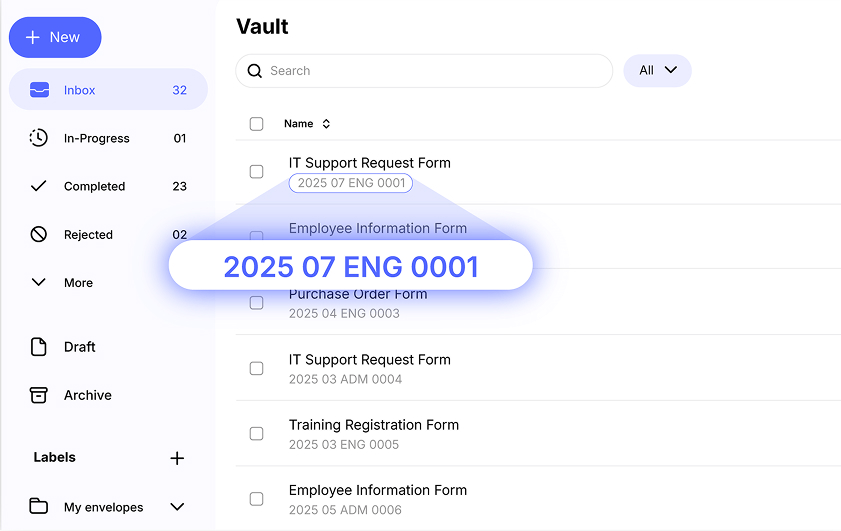
Completed records
Store more than the final PDF
A secure document vault should preserve the completed document with the history that made it trustworthy: workflow state, signer activity, audit trail, certificate evidence, validation context, and retrieval paths.
Completed record
Store the file with the history that proves it
Z-Vault states
See where every document record sits
Inbox
Documents waiting for the user's action.
In Progress
Active records moving through signing, approvals, sendbacks, or delegation.
Completed
Signed or approved records ready for retrieval, validation, and review.
Rejected
Documents that did not complete the intended workflow.
Expired
Processes that passed their due date or expiration rules.
Canceled
Workflows stopped before completion.
Z-Vault states
Organize records by where they are in the document lifecycle
Teams need to review active and completed records without digging through email. ZaferSign organizes document work across inbox, in-progress, completed, rejected, expired, and canceled states so every record is easier to locate.
Record lifecycle
From completed workflow to trusted record
Secure document management starts when the workflow ends. ZaferSign keeps documents, status, evidence, retrieval, and validation connected.
- 01
Complete
Move signed or approved documents into completed record status.
- 02
Store
Keep the document package with workflow history and audit evidence.
- 03
Organize
Review records across inbox, in-progress, completed, rejected, expired, and canceled states.
- 04
Retrieve
Access document details, full process details, and completed documents when needed.
- 05
Validate
Confirm document authenticity, review the comprehensive audit trail, and download process documents for evidence-based review.
Storage flexibility
Fit secure records management to enterprise storage requirements
Some organizations need regional data handling, customer-managed storage, hybrid architecture, or on-premises deployment. The vault story should fit those operating requirements instead of forcing every record into one storage model.
Regional storage
Keep data in a preferred region to support residency and governance policies, alongside privacy programs addressing GDPR, CCPA, and applicable PDPA requirements.
Own storage
Store completed documents in customer-managed storage using organization-defined encryption and access controls.
Flexible deployment
Support SaaS, hybrid, and on-premises operating models, with custom feature development available for on-premises deployments.
Retrieval API
Retrieve records and evidence when systems need them
Retrieval and validation
Retrieve, validate, and download completed records when proof is needed
API and integration paths help teams surface record status, process details, validation results, webhook updates, and completed document downloads inside the systems where business review happens.
Secure document vault
Ready to protect completed records with their evidence intact?
Use ZaferSign to store, retrieve, validate, and manage completed business documents with workflow history and audit context connected.