
Digital signature
Digital signatures that prove more than consent
ZaferSign helps teams sign documents from web and mobile devices while adding certificate-based AATL validation, signer evidence, workflow status, and completed-record auditability to every signed PDF.
- GlobalSign AATL certificate signing
- Trusted PDF signature validation
- E Sign, Quick Sign, and Bulk Sign
- Certificate report with blockchain-backed evidence
Signed and all signatures are valid.
Envelope ID: 4cf33a0f...
Business Document
Signed PDF with trusted certificate evidence
Signature
zafer
Signatures
Rev. 1: Signed by Zafer Innovations (Pvt) Ltd
Signature Details
Reason: Digitally verifiable PDF exported from www.zafer.com
Field: Signature1 (invisible signature)
Adobe-trusted validation
Digital signatures backed by GlobalSign AATL certificates
ZaferSign uses GlobalSign AATL document signing certificates to apply trusted PDF digital signatures. That means recipients can review the signature in Adobe-compatible tools and see trust evidence such as certificate source, identity validity, modification status, and long-term validation support.
GlobalSign AATL Certificate
Public trust anchor for Adobe-recognized document signing.
ZaferSign PDF Signature
The signed PDF carries certificate details and signature metadata.
Adobe validation panel
Recipients can review validity, identity, modification status, and LTV state.
AATL signal
A signed PDF can show trusted source, valid identity, modification status, and long-term validation evidence.
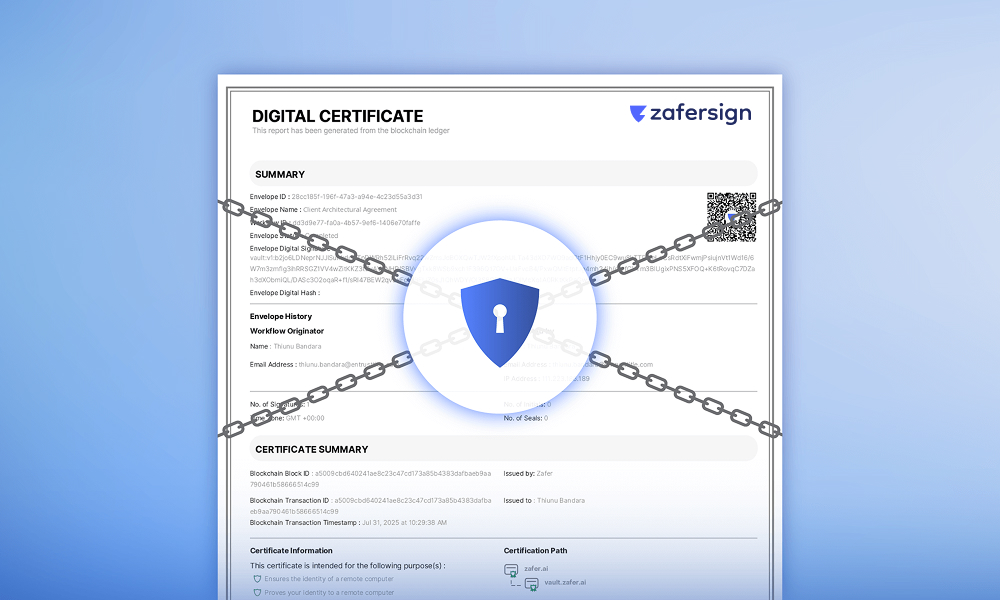
Certificate report
Envelope status, signer activity, blockchain transaction data, and audit timestamps stay connected after completion.
Signature evidence
Keep signer activity, document status, and proof connected
A signed document is only part of the record. ZaferSign also produces a certificate report with envelope status, signer details, workflow history, IP address, signature counts, blockchain transaction data, and timestamps for later review.
Signing options
Choose the right signing path for the job
Teams can move from fast self-signing to complete routed workflows or high-volume sending without changing the trust model behind the signed PDF.
E Sign
Run a controlled signing workflow with recipients, reviewers, carbon copies, sendbacks, due dates, password protection, and completion tracking.
Quick Sign
Sign a document quickly when the user needs a direct self-signing or simple signing path without building a full workflow.
Bulk Sign
Send the same document package to many recipients while keeping each recipient's completion and evidence record separate.
Template builder
Standard agreement workflow
Reusable templates
Templates for documents you send again and again
Save common documents, fields, signer roles, placeholders, and workflow controls so recurring agreements, HR forms, approvals, onboarding packets, and customer documents can start faster and stay consistent across teams.
Digital vs electronic
Go beyond a signature image or checkbox
Electronic signatures capture intent. ZaferSign digital signatures add certificate-backed trust, document integrity, timestamping, non-repudiation, and evidence that recipients can verify after the workflow is complete.
Electronic signature
Captures intent to sign
Useful for consent and workflow completion, but trust evidence can vary by platform and implementation.
Digital signature
Adds cryptographic document proof
AATL-backed digital signatures strengthen signer identity, document integrity, timestamping, non-repudiation, and recipient verification.
Common use cases