Insight
How to Protect Your Identity and Think Security When eSigning Agreements
Signing agreements, contracts, documents, and forms with electronic signatures is becoming the norm. Using electronic signatures is easy, fast, and convenient.
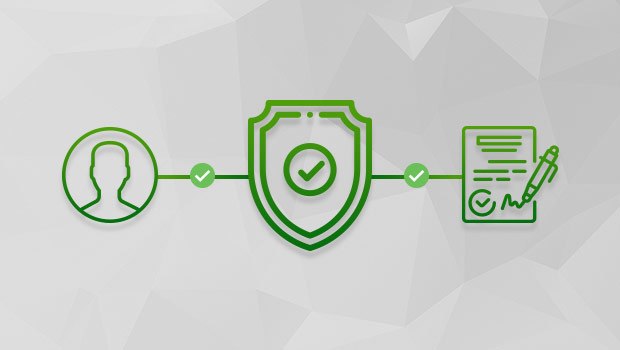
Signing agreements, contracts, documents, and forms with electronic signatures is becoming the norm. Using electronic signatures is easy, fast, and convenient. People use different ways to e-sign documents. Some paste images of their signatures captured off of a laptop camera onto documents and some use computer generated signatures. Yet others use more sophisticated tools which allow them to sign documents with pen or finger onto a touch-sensitive screen. The act of signing a document is one aspect of it, security and privacy is another. In this article we share tips on how to protect your identity and think security first when eSigning agreements.
As we use electronic signatures to sign more high value, critical and sensitive documents we must make sure that our signatures, documents, information, and the entire transaction is secure and protected against fraud, tampering, and miss-use. Examples of high value transactions are buying a home or business, signing sales contracts, promissory notes, loan documents, credit card applications, your child’s medical information release forms, and more. Over the years, ZorroSign has helped thousands of customers sign contracts and agreements securely, in this article we share best practices that we have learned.
Tips for protecting your identity
- Avoid signing documents by pasting an image of your signature on documents. Use highly secure online eSigning solutions instead.
- Shy away from eSign products that distribute documents via email attachments.
- Never use the same password for more than one online profile.
- Make the length of your passwords across different online profiles different.
- Avoid using obvious strings and numbers as your passwords that people can easily guess by knowing little about you.
- Take advantage of free online random password generators.
- If you use a password manager program, make sure to take full advantage of all of its features. For example use its random password generator and also review reports showing where you are repeating passwords and strengths of your passwords.
- Even if you are using a random password generator, make sure to change your password at least 4 times a year.
- If your online profile offers options to use Biometrics, like ZorroSign does, take full advantage of it.